
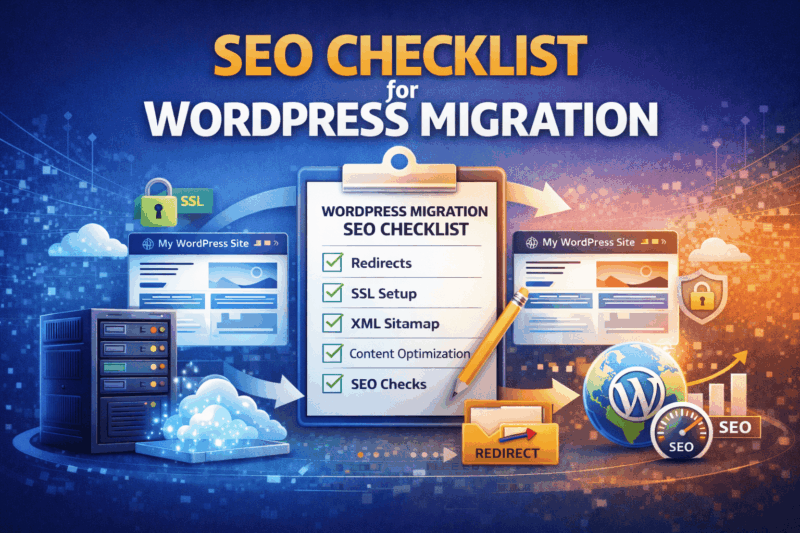
Introduction: Why SEO Is the Biggest Risk in WordPress Migration
WordPress migration is not just a technical process—it is a search engine–sensitive operation. Even a perfectly working website can lose traffic overnight if SEO fundamentals are mishandled during migration.
Common SEO disasters after migration include:
- Sudden drop in Google rankings
- Pages disappearing from search results
- Broken backlinks
- Duplicate content issues
- Indexing failures
- Crawl budget wastage
The good news?
SEO damage during WordPress migration is 100% preventable—if you follow a structured checklist.
This guide provides a complete, practical SEO checklist for WordPress migration, used by professionals to ensure zero ranking loss.
How WordPress Migration Affects SEO (Quick Overview)
Search engines care about:
- URL consistency
- Page accessibility
- Response codes
- Page speed
- Content integrity
- Internal linking
- Canonical signals
A migration can unintentionally alter any of these—triggering ranking fluctuations.
SEO-First WordPress Migration Framework
Professional SEO-safe migration follows this order:
Pre-Migration SEO Audit → Migration Execution → Post-Migration SEO Validation
Skipping any phase increases risk.
PHASE 1: Pre-Migration SEO Checklist (MOST IMPORTANT)
1. Crawl & Snapshot Your Existing Website
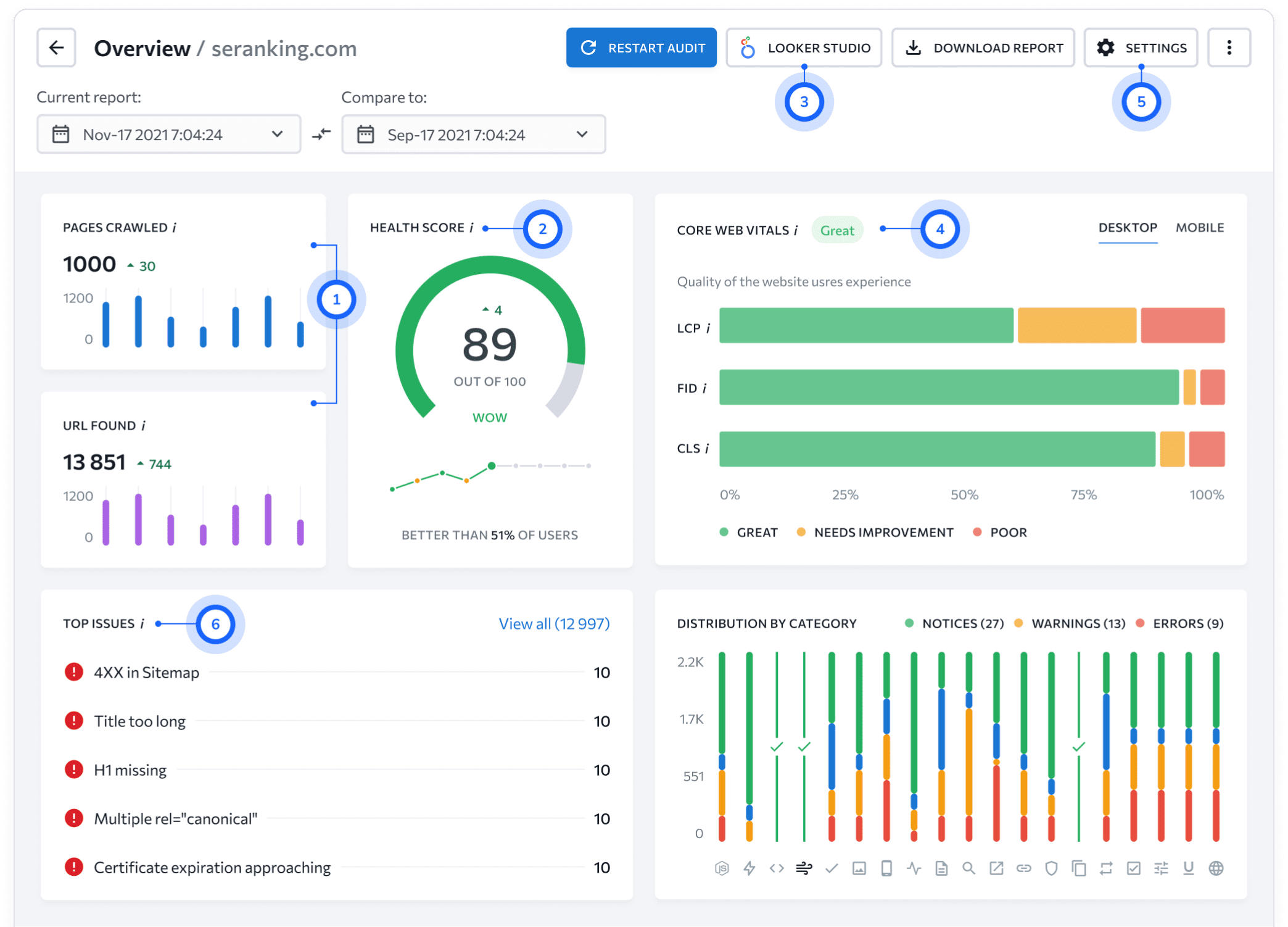
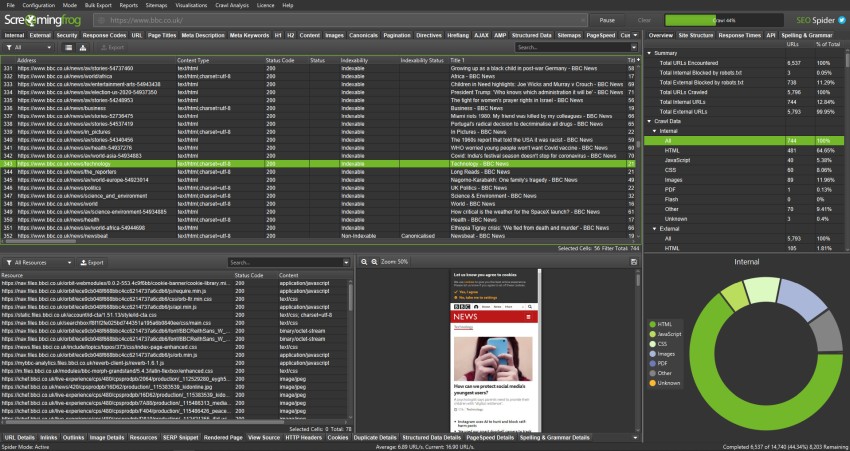
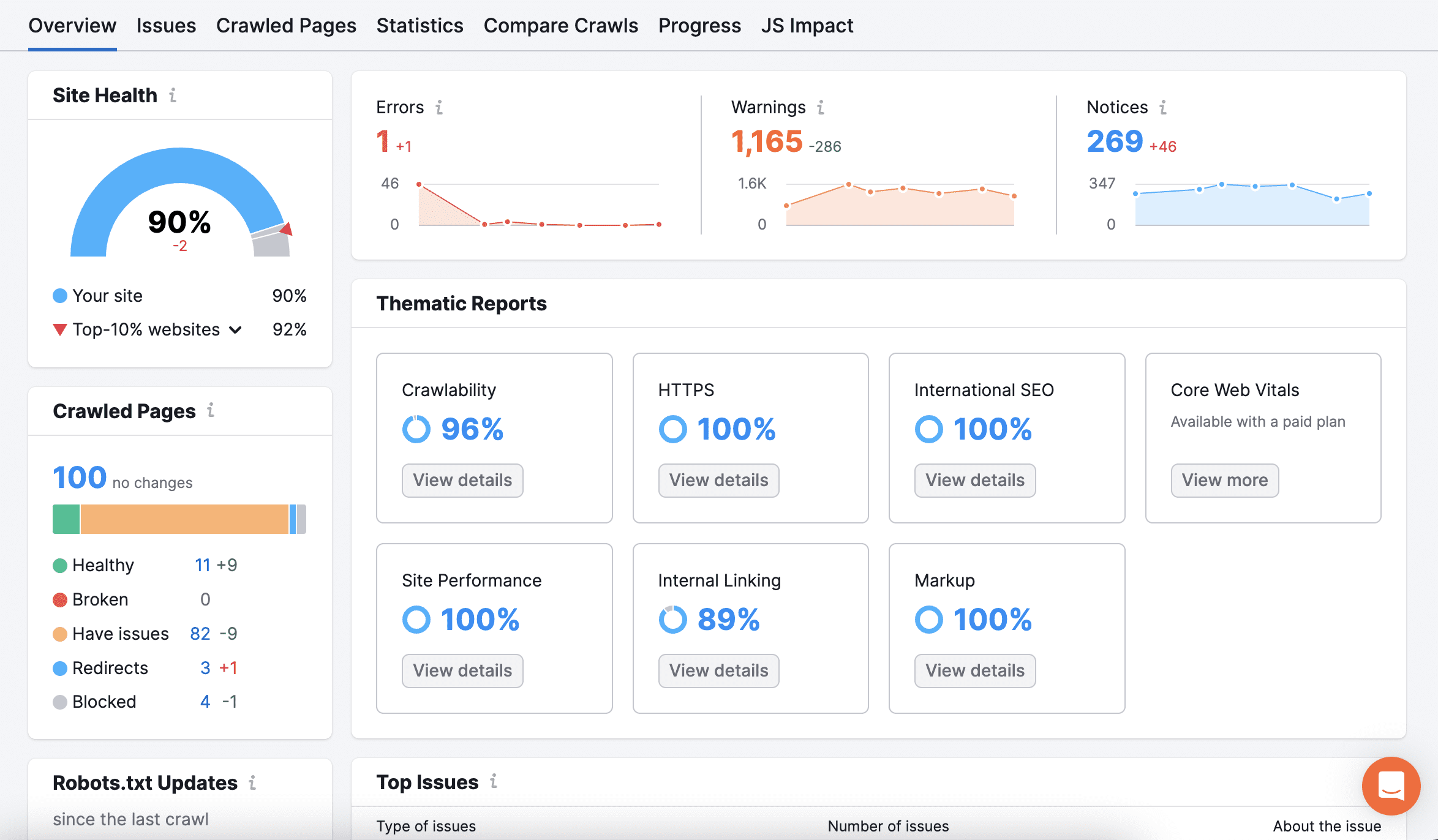
Before migration, capture your site’s current SEO state.
What to Record
- All indexable URLs
- Page titles & meta descriptions
- H1–H6 structure
- Canonical URLs
- Internal links
- Status codes (200, 301, 404)
This becomes your SEO baseline.
2. Identify Top-Performing Pages
These pages deserve extra protection.
Identify:
- Top traffic pages
- High-ranking keywords
- Pages with backlinks
- Conversion-focused pages
If these pages break, SEO impact is immediate and severe.
3. Freeze URL Structure (If Possible)
🔒 Golden SEO Rule:
If URLs don’t change, rankings usually don’t change.
Avoid:
- Changing slugs
- Removing categories
- Renaming pages
- Altering permalink structure
If changes are unavoidable, prepare redirect mapping (explained later).
4. Export Existing SEO Settings
If you use SEO plugins (Yoast, Rank Math, etc.):
- Export plugin settings
- Note schema settings
- Document noindex pages
- Capture sitemap URLs
Missing SEO settings after migration is a common ranking killer.
5. Lower DNS TTL (SEO Safety Step)

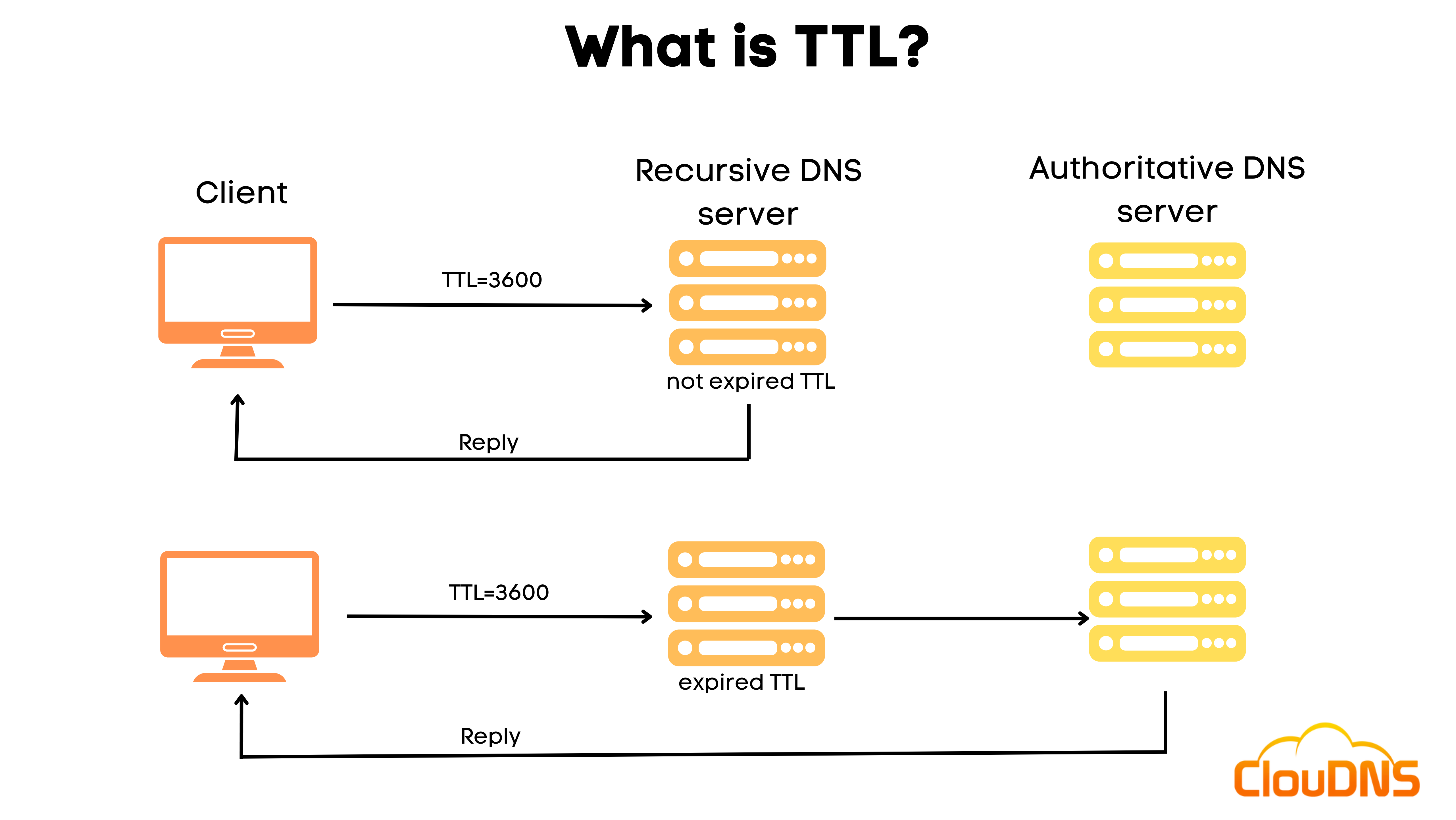
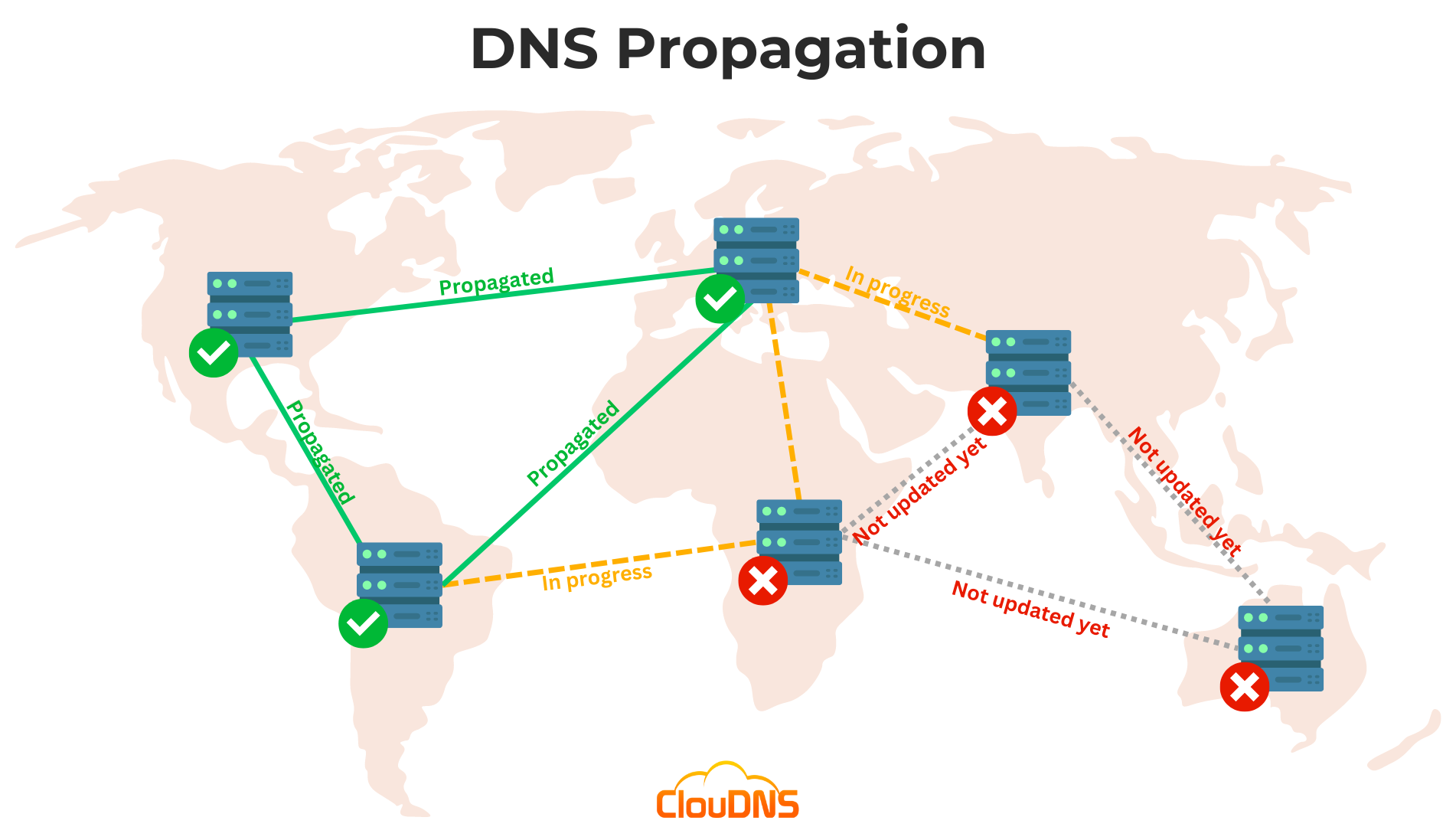
24 hours before migration:
- Reduce DNS TTL to 300 seconds
This allows:
- Faster DNS propagation
- Quick rollback if SEO issues appear
Search engines dislike long unresponsive periods.
PHASE 2: SEO-SAFE MIGRATION EXECUTION
6. Block Search Engines on Staging Environment
Your staging site must never be indexed.
Checklist
- Enable
noindexin WordPress - Password-protect staging
- Disallow via robots.txt
Duplicate staging URLs in Google = SEO disaster.
7. Preserve WordPress Permalinks
After migration:
- Go to Settings → Permalinks
- Save without changes
This refreshes rewrite rules and prevents silent 404s.
8. Verify Status Codes (200 Is King)
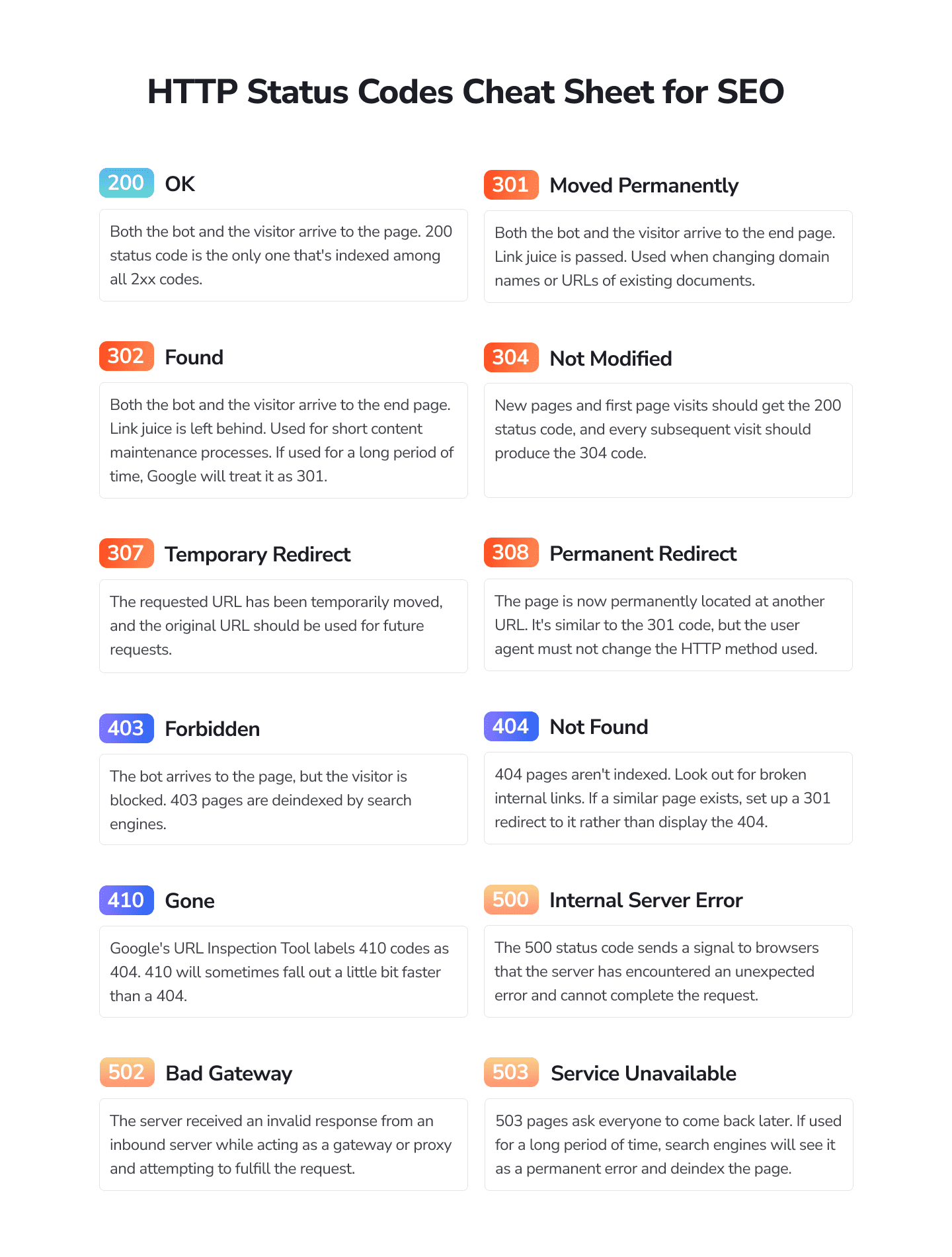
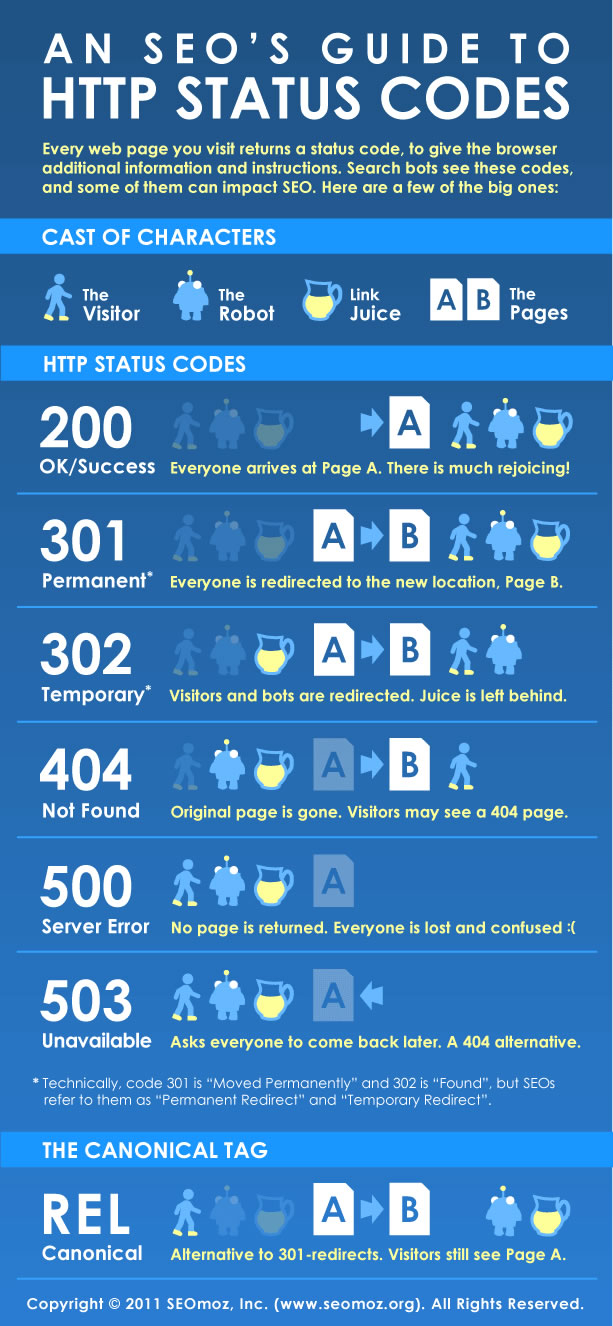
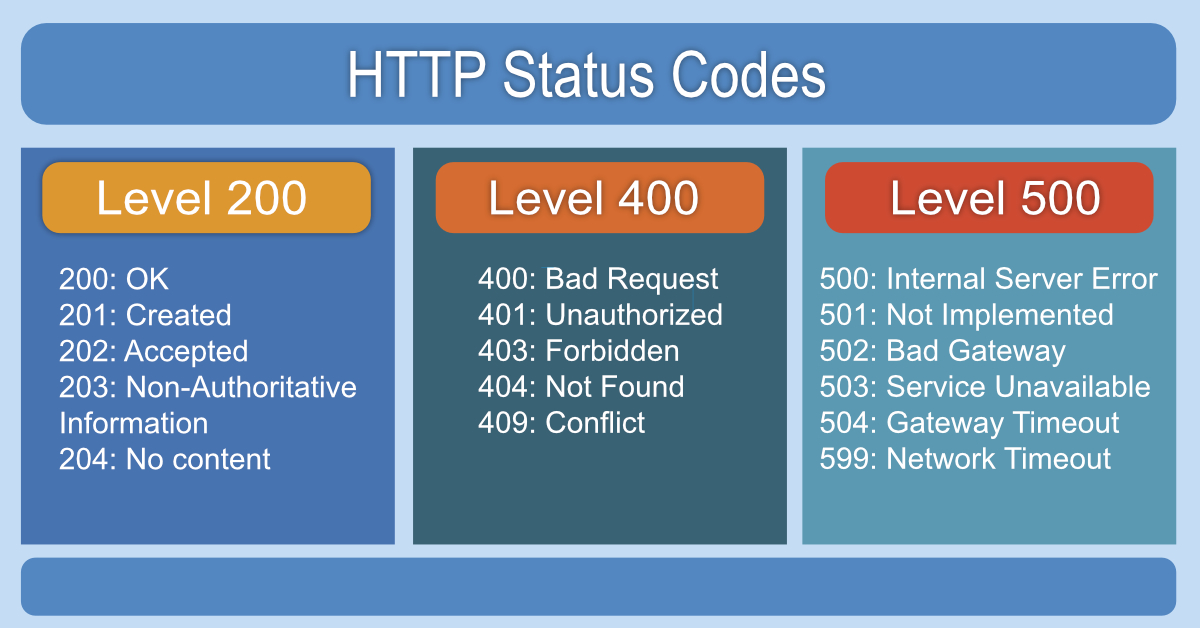
After migration:
- All important URLs must return 200 OK
- Avoid:
- 302 redirects
- Soft 404s
- 500 errors
Search engines trust consistency.
9. 301 Redirect Checklist (If URLs Changed)
If URLs change, 301 redirects are non-negotiable.
Best Practices
- Old URL → New URL (1:1 mapping)
- No redirect chains
- No mass homepage redirects
- Use server-level redirects if possible
Correct redirects preserve 90–99% SEO equity.
10. Canonical URL Verification
Check every page for:
- Correct canonical tag
- No self-conflicting canonicals
- No staging URLs
Canonical mistakes cause ranking confusion.
11. Robots.txt Validation
Ensure robots.txt:
- Allows important pages
- Does not block
/wp-content/accidentally - Points to correct sitemap URL
One wrong line can block your entire site.
PHASE 3: POST-MIGRATION SEO CHECKLIST
12. XML Sitemap Update & Submission
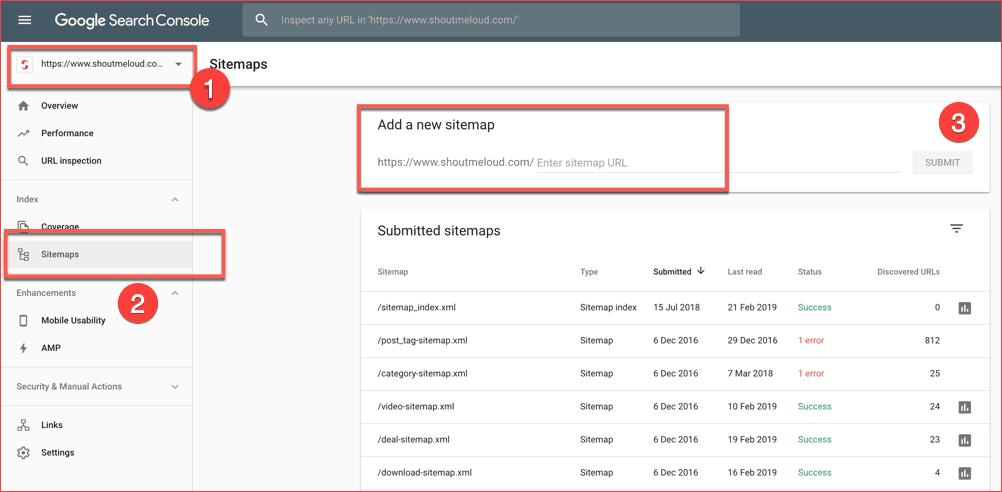
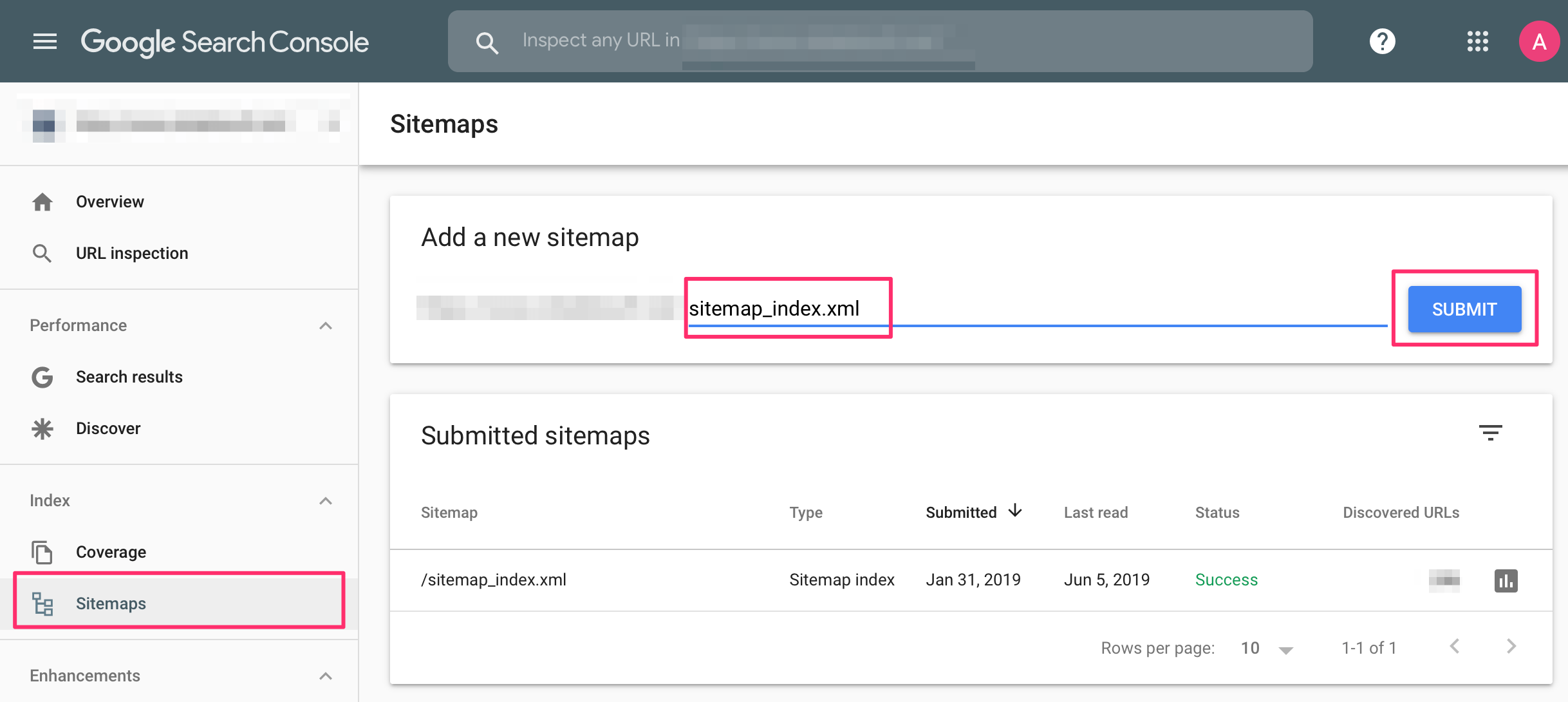
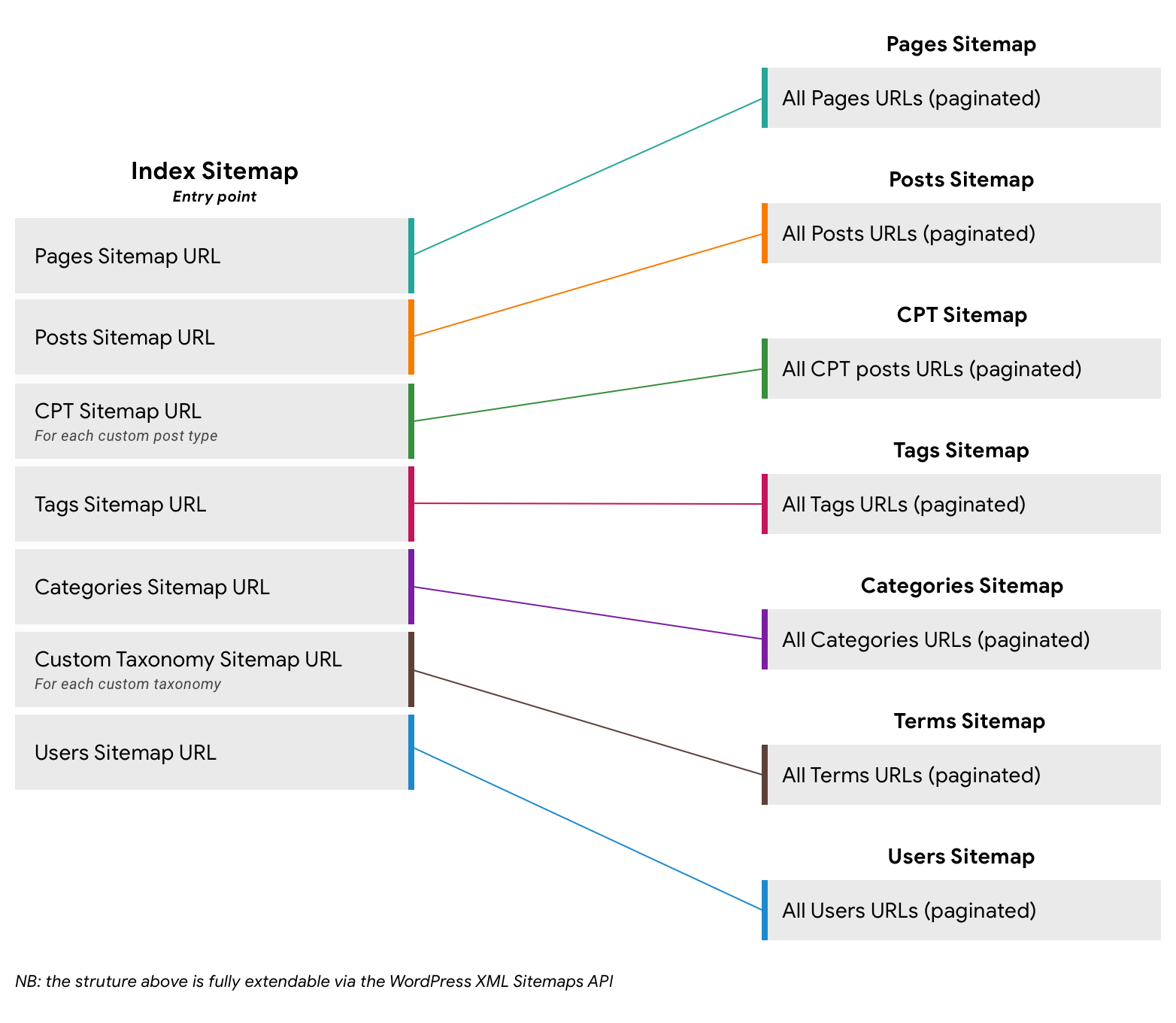
After going live:
- Regenerate XML sitemap
- Submit sitemap in Google Search Console
- Remove old sitemap references
This helps Google revalidate your site quickly.
13. Google Search Console Verification
Ensure:
- Property ownership verified
- Correct domain/property used
- No manual actions
- Coverage report clean
Search Console is your early warning system.
14. Monitor Index Coverage Closely
Watch for:
- “Excluded” pages spike
- Crawled – not indexed
- Duplicate content warnings
- Redirect errors
Address issues within 48–72 hours.
15. Recheck Page Speed & Core Web Vitals
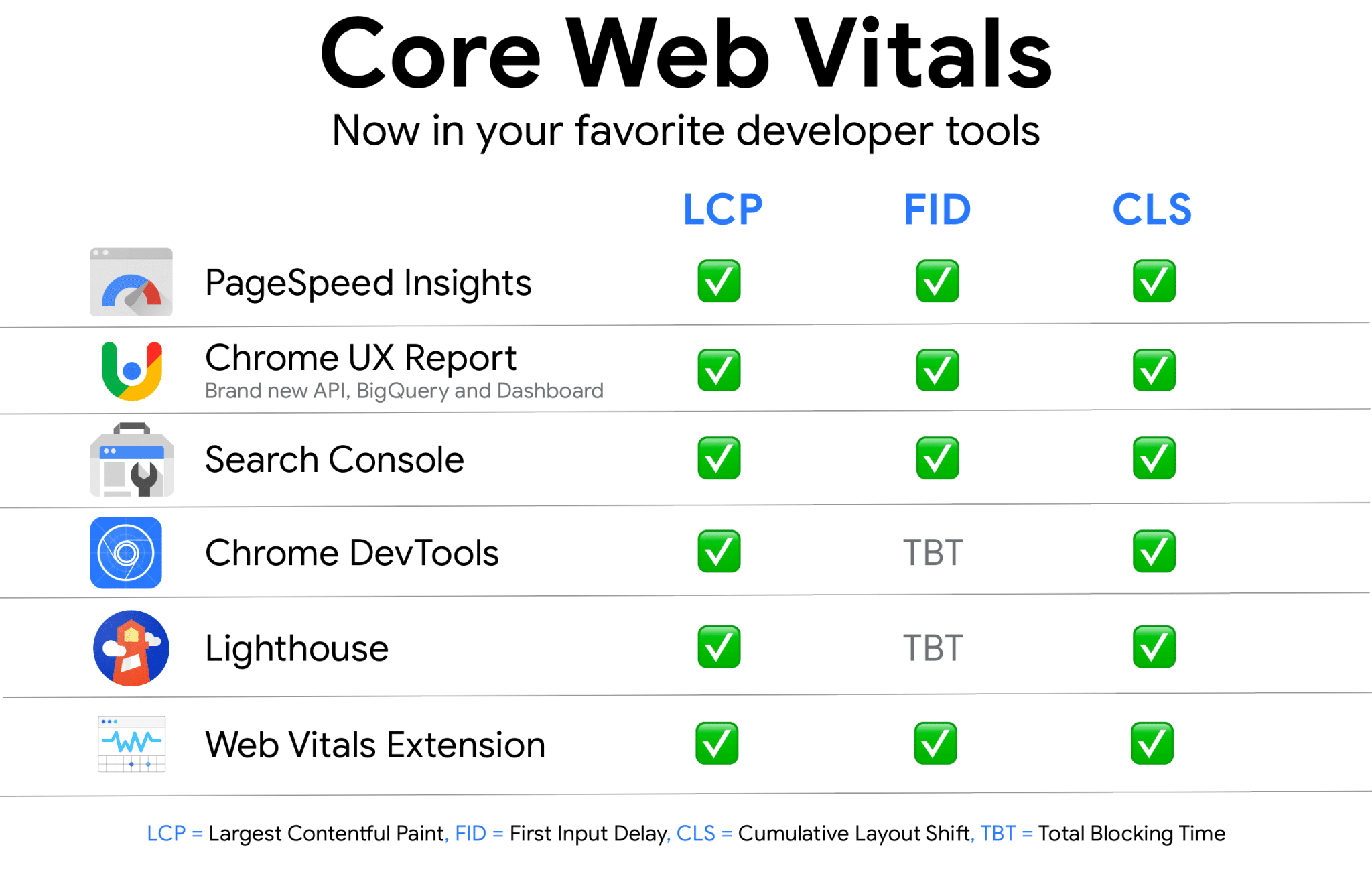
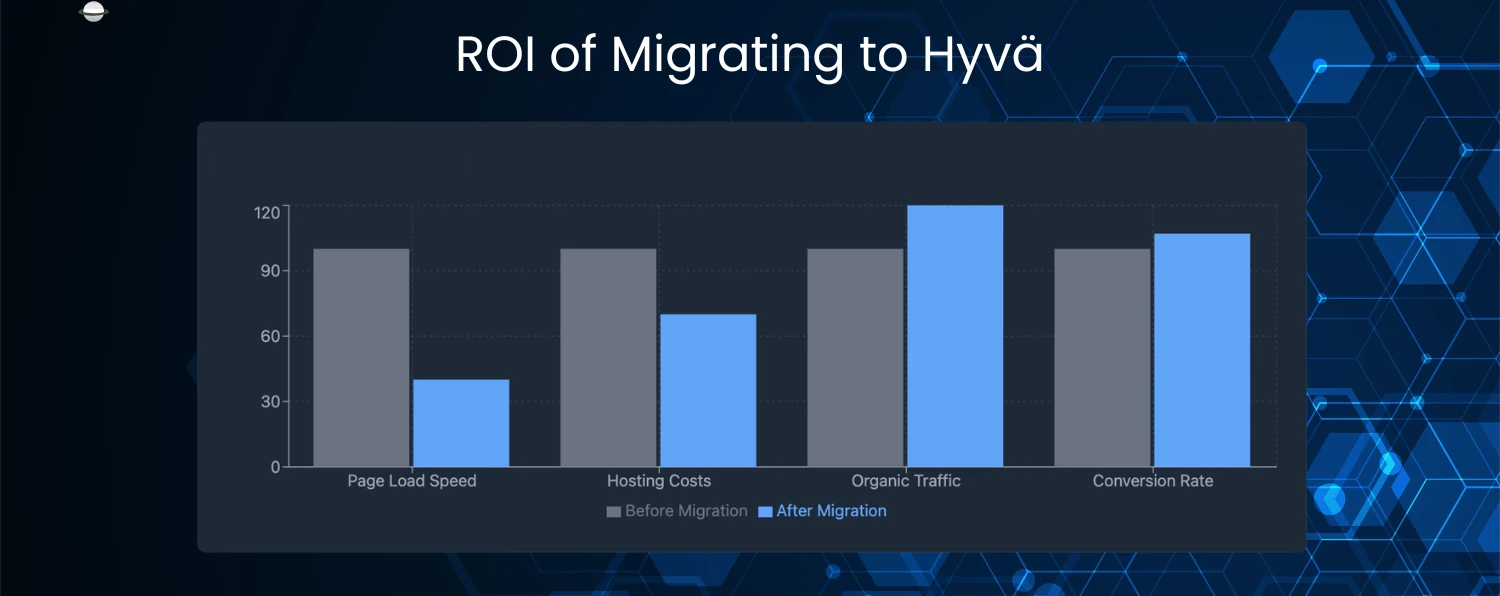
Migration often changes:
- Server response time
- Cache behavior
- Asset delivery
Faster sites often see ranking improvements post-migration.
16. Validate Structured Data & Schema
Ensure:
- Schema markup loads correctly
- No errors in rich results
- Breadcrumb schema intact
Schema errors reduce SERP visibility.
17. Internal Linking Integrity Check
Confirm:
- No broken internal links
- Correct anchor text
- No redirected internal URLs
Internal links distribute SEO authority.
18. Backlink Health Check
Important backlinks should:
- Resolve correctly
- Not hit 404s
- Not redirect unnecessarily
Broken backlinks = lost authority.
19. Rank & Traffic Monitoring (30-Day Window)
Expect:
- Minor fluctuations (normal)
- Stabilization within 2–4 weeks
Red flags:
- Continuous decline
- Deindexing
- Sharp crawl errors
Early fixes prevent long-term damage.
Common SEO Mistakes During WordPress Migration
❌ Forgetting to remove noindex
❌ Blocking site via robots.txt
❌ Missing redirects
❌ Ignoring Search Console errors
❌ Shutting down old server too early
SEO failures are usually process failures.
SEO Rollback Strategy (Professional Safety Net)
Always be prepared to:
- Revert DNS
- Restore backup
- Reinstate old server
Rollback capability protects rankings.
When SEO-Safe Migration Is Critical
- SEO-driven lead generation sites
- Content-heavy blogs
- WooCommerce stores
- Authority websites
- High backlink profiles
For such sites, SEO-safe migration is mandatory, not optional.
How DEVEXIS INDIA Handles SEO-Safe WordPress Migration
At DEVEXIS INDIA, SEO is embedded into our migration workflow:
- Pre-migration SEO audit
- URL & redirect planning
- Staging noindex enforcement
- SEO-safe DNS strategy
- Post-migration monitoring
Our goal is simple:
Migrate infrastructure without migrating SEO risk.
Final SEO Checklist for WordPress Migration (Quick Reference)
✔ URLs preserved
✔ Redirects implemented
✔ Noindex removed
✔ Sitemap submitted
✔ Search Console verified
✔ Core Web Vitals checked
✔ Rankings monitored
Conclusion
WordPress migration does not have to cost you rankings. When SEO is treated as a first-class requirement, migrations become safe, predictable, and even beneficial.
This checklist gives you a battle-tested SEO framework to migrate WordPress websites with confidence.
📞 Need SEO-Safe WordPress Migration?
Let DEVEXIS INDIA handle your migration—secure, strategic, and search-engine safe.